


2009-11-09, 03:19 PM
Ok so I am kinda new to the whole forum thing... Well I wanted to know how to put pictures(like one I made myself) in my sig? So can anyone help me with this?
|
How do you add stuff to your sig?
|
2009-11-09, 03:19 PM
Ok so I am kinda new to the whole forum thing... Well I wanted to know how to put pictures(like one I made myself) in my sig? So can anyone help me with this?

2009-11-09, 03:22 PM
User CP > Edit Sig' > Insert IMG code as such [.IMG]http://i136.photobucket.com/albums/q183/kiyoki_kun/ObamaHellNo.jpg[/IMG]
But without that period  
2009-11-09, 04:52 PM
The picture can be from any site. To post an image, do this:
[noparse][img]LINK OF IMAGE[/img][/noparse] Kiyo, quote this post so you can see how I did that. 
2009-11-09, 11:37 PM
[noparse][noparse][img]link of image[/img][/noparse][/noparse]
Demonstration without needing to quote! TheThunderBandit, take the time to mess around with your profile options and whatnot to see what you can do =P Also, here's a list of BBCodes so you might be able to do more stuff. Keep in mind this isn't a super comprehensive list of all the functions of BBCodes, and apparently some of the examples are broken. But just play around with them and see what happens. Also, if you're not sure what BBCodes someone used in a post, you can just quote the post to see what's going on. 
2009-11-10, 12:04 AM
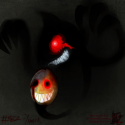
PirateIzzy Wrote:How did you make the gargoyle with goggles? Photoshop? No just GIMP. All I did was get the picture of the gargoyle(its a monster is some version of MS some where) and got the picture of the goggles(I just saved the goggle smily from this website lol) and then used GIMP and for some reason the goggles became the same color set as the gargoyle! I dont care it looks cool(Well I think so)! Also thanks I now need to make a picture for my sig 
2009-11-10, 12:09 AM
TheThunderBandit Wrote:No just GIMP. All I did was get the picture of the gargoyle(its a monster is some version of MS some where) and got the picture of the goggles(I just saved the goggle smily from this website lol) and then used GIMP and for some reason the goggles became the same color set as the gargoyle! I dont care it looks cool(Well I think so)! Also thanks I now need to make a picture for my sig That's actually one of the better implementations of the goggle-emote I've seen. 
2009-11-10, 12:26 AM
TheThunderBandit Wrote:No just GIMP. All I did was get the picture of the gargoyle(its a monster is some version of MS some where) and got the picture of the goggles(I just saved the goggle smily from this website lol) and then used GIMP and for some reason the goggles became the same color set as the gargoyle! I dont care it looks cool(Well I think so)! Also thanks I now need to make a picture for my sig Ok then. By the way, the gargoyle is in the guild quest.
2009-11-10, 12:46 AM
pirateizzy Wrote:]by the way, the gargoyle is in the guild quest. so that's were they are!! |
|
« Next Oldest | Next Newest »
|